
Best Desk Lamps for Eye Comfort (2026): CRI, Flicker & Glare Specs Compared
Methodology & Affiliate Disclosure (Updated November 3, 2026): This guide is a technical specification comparison based on published manufacturer optical datasheets and workplace lighting standards (ANSI/IES RP-1-20 and IEEE Std 1789-2015). Nobody at HotStylePro conducted a 30-day laboratory photometer study or personal wear diary for this article; retail prices fluctuate daily and are shown as illustrative manufacturer ranges. Some links below are sponsored affiliate links (rel="sponsored") that may earn us a commission at no extra cost to you.
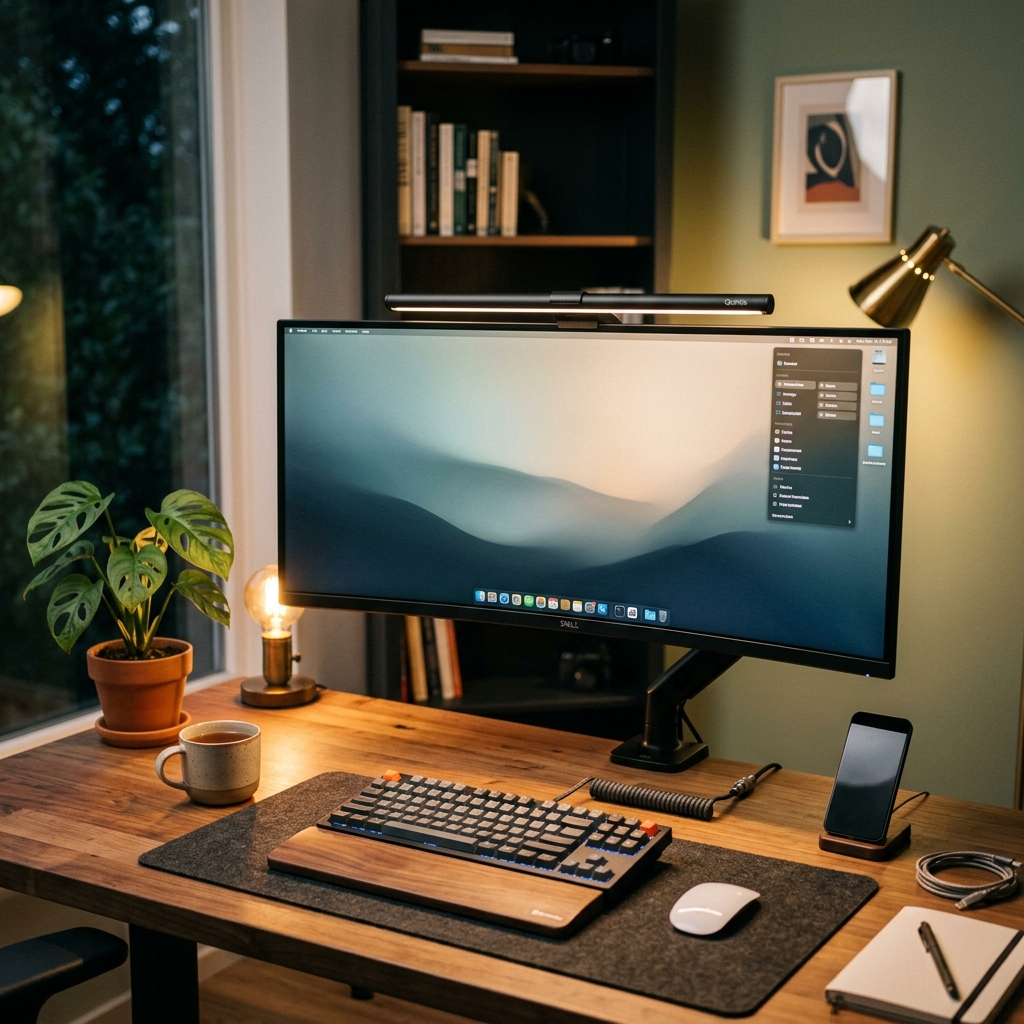
- Target Desk Illuminance (IES Standard): Maintain 300 to 500 lux across your keyboard and notebook surface so your eyes do not constantly re-adapt between a bright monitor (
120–250 cd/m²) and a dark desk. - Zero Screen Reflection Glare: Choose an asymmetric optical monitor light bar (such as the BenQ ScreenBar Pro or Quntis ScreenLinear series) that projects a 45°–60° forward light wedge onto the desk without hitting the monitor glass.
- Driver & Spectrum Quality: Look for CRI Ra ≥ 95 (with high R9 red rendering) and a constant-current DC or high-frequency (>3,000 Hz) flicker-free driver compliant with IEEE Std 1789-2015.
Turn off the overhead lights in a home office and stare at a glowing LCD or OLED monitor, and your visual system immediately faces an extreme luminance contrast ratio. When the center of your visual field is bright while the surrounding desk and wall are nearly black, your pupils must constantly dilate and constrict every time your gaze shifts from the screen to your keyboard or notes. Over an eight-hour workday, that pupillary muscle fatigue combines with specular screen glare to trigger burning eyes, blurred focus, and late-afternoon tension headaches.
Throwing a conventional gooseneck or dome lamp next to your monitor often makes the problem worse: symmetrical bulbs scatter light rays directly onto the monitor panel, washing out black levels and creating a veil of reflected haze. Below, we compare the four main desktop lighting architectures across optical cutoff geometry, color rendering (CRI), dimmer flicker physics, and mounting mechanics.
1. Side-by-Side Specification Matrix: Monitor Light Bars vs. Architect Swing-Arm LED Lamps
Rather than relying on subjective impressions, you can evaluate any workspace lamp by checking five verifiable engineering specs: optical beam geometry, center-beam illuminance (lux at 45–50 cm height), Color Rendering Index (CRI Ra), Correlated Color Temperature (CCT) range, and mounting footprint:
| Specification / Feature | Premium Asymmetric Light Bar (e.g., BenQ ScreenBar Pro) | Mid-Range Asymmetric Light Bar (e.g., Quntis ScreenLinear Pro+) | Wide Architect Dual-Arm Clamp Lamp (24W–32W LED) | Traditional Symmetrical Gooseneck Desk Lamp |
|---|---|---|---|---|
| Optical Beam Geometry | True Asymmetric Internal Reflector (0 lm hits screen; sharp hood cutoff) | 45° Angled LED Array (minimal screen spill; slight bezel grazing on thick monitors) | Wide 45° Diffused Downlight (must be positioned above or beside monitor line) | Symmetrical 120° Cone (high screen reflection glare unless aimed away) |
| Published Center Illuminance | >1,000 lux at 50 cm (covers ~85 cm × 50 cm oval at ≥500 lux) | ~700–1,000 lux at 45 cm (covers ~65 cm × 40 cm desk zone at 500 lux) | 1,200–1,800 lux at 50 cm (spans 150 cm+ ultra-wide multi-monitor desks) | 400–800 lux hotspot (rapid drop-off outside a 30 cm circle) |
| Color Rendering Index (CRI) | Ra ≥ 95 (full-spectrum LEDs) | Ra ≥ 95 (selected Pro+ models) | Ra 90 to Ra 95+ (varies by LED binning) | Typically Ra 80–85 (standard consumer LEDs) |
| Color Temperature (CCT) Range | 2700K – 6500K (8 ANSI white steps + ambient auto-dimming sensor) | 3000K – 6500K (stepless wireless puck or inline controller) | 2700K – 6500K (5 steps with 45-degree angled shade) | Often fixed 3000K or basic 3-mode toggle |
| Curved Monitor & Bezel Fit | 0.43–6.5 cm thickness; fits 1000R–1800R curved displays | 0.3–3.5 cm thickness; flat or gentle 1800R curves | Clamps to desk edge (up to 6.5 cm thick); zero contact with monitor bezel | Occupies 15–20 cm of desk surface area |
| Illustrative Price Tier (Unverified Daily Retail) | Premium Tier (~$120–$150 range; varies by retailer promos) | Value Tier (~$35–$60 range; varies by wireless puck bundle) | Mid Tier (~$50–$95 range; varies by wattage and clamp build) | Budget Tier (~$20–$40 range) |
2. Why Symmetrical Light Fails Your Screen (The Physics of Veiling Glare)
When light from a desk lamp strikes your computer display at an angle equal to your viewing angle, it produces specular and diffuse reflection (veiling glare). Even if you use a matte anti-glare IPS panel rather than a glossy OLED or glass display, incoming light scatters across the matte micro-texture, raising the monitor’s apparent black floor and reducing text contrast ratio from 1000:1 down toward 150:1.
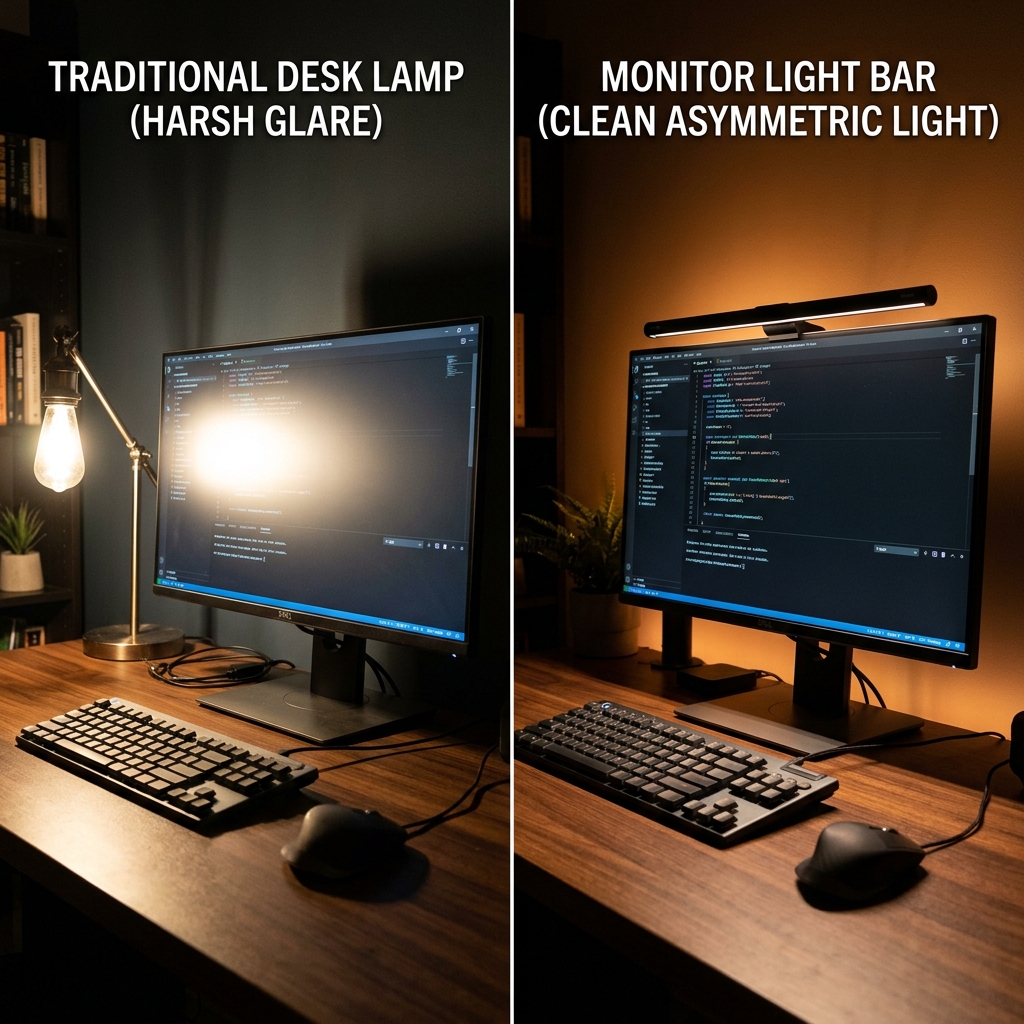
An asymmetric monitor light bar solves this geometry problem at the source. Instead of pointing LEDs straight down through a frosted plastic diffuser, true asymmetric bars bounce light off an internal curved aluminum reflector so the back edge of the beam runs parallel to—but slightly forward of—the monitor glass, while the front edge is hooded to shield your eyes from direct LED diode glare.
However, buyers should distinguish between two engineering tiers of monitor light bars:
- True Reflector-Based Asymmetric Optics: The LED diodes face upward or backward into a precision parabolic reflector. You never see the raw LED beads even when leaning forward, and virtually zero stray photons hit a flat screen.
- Tilted-PCB Semi-Asymmetric Bars: Many sub-$45 light bars simply angle the LED strip at 45 degrees behind a translucent diffuser. They save desk space and illuminate keyboards well, but if mounted on a deeply curved (1000R) monitor or a thick bezel, a small band of light can still graze the top corners of the panel.
3. Four Lighting Specs That Actually Matter for Eye Comfort
1. Illuminance Balance: The IES 300–500 Lux Rule & 1:3:10 Contrast Ratio
According to workplace illumination guidelines published by the Illuminating Engineering Society (ANSI/IES RP-1-20), general computer and paper reading tasks require 300 to 500 lux on the horizontal desk surface. Ergonomists also apply the 1:3:10 luminance ratio rule: the brightness difference between your monitor and your immediate desk surface should not exceed 1:3, and the difference between your monitor and the rear wall behind it should not exceed 1:10.
This is why pairing a front task lamp with rear bias lighting (placing a warm or 6500K LED strip or smart light bar behind the monitor to wash the wall with soft light) is so effective for evening work. For a full breakdown of ambient backlight options, see our LED Strip Lights vs. Smart Bulbs Ambient Lighting Comparison.
2. Flicker-Free Dimming (IEEE Std 1789-2015 Compliance)
Inexpensive LED lamps dim their brightness using low-frequency Pulse-Width Modulation (PWM)—rapidly switching the diodes fully on and off 100 to 400 times per second. Even when PWM flicker is above the human conscious fusion threshold (~60–90 Hz), the IEEE Std 1789-2015 standard warns that modulation frequencies below 1,250–3,000 Hz can trigger saccadic phantom-array effects, eyestrain, and migraines in sensitive workers. Always verify that a lamp specifies constant-current DC dimming or high-frequency PWM above 3,000 Hz across all brightness steps.
3. Color Rendering Index (CRI Ra ≥ 95 and R9 Red Spectrum)
Standard white LEDs generate light by coating a sharp blue diode chip (peaking around 450 nm) with yellow phosphor, leaving a deep spectral trough in cyan and saturated red (R9). Full-spectrum desk lamps rated at CRI Ra ≥ 95 fill out the visible spectrum so printed paper, skin tones on webcam calls, fabric swatches, and wood desk grains (such as the walnut veneers we reviewed in our West Elm Mid-Century Desk Review and Mid-Century Wall Desk Alternatives Guide) look natural rather than washed out.
4. Correlated Color Temperature (CCT) Circadian Tuning (2700K–6500K)
Adjustable CCT lets you match your desk lighting to natural daylight shifts: 5000K–6500K cool daylight during morning analytical work, 4000K neutral white for afternoon reading and video calls, and 2700K–3000K warm amber during late evening sessions to reduce short-wavelength blue light exposure before sleep.
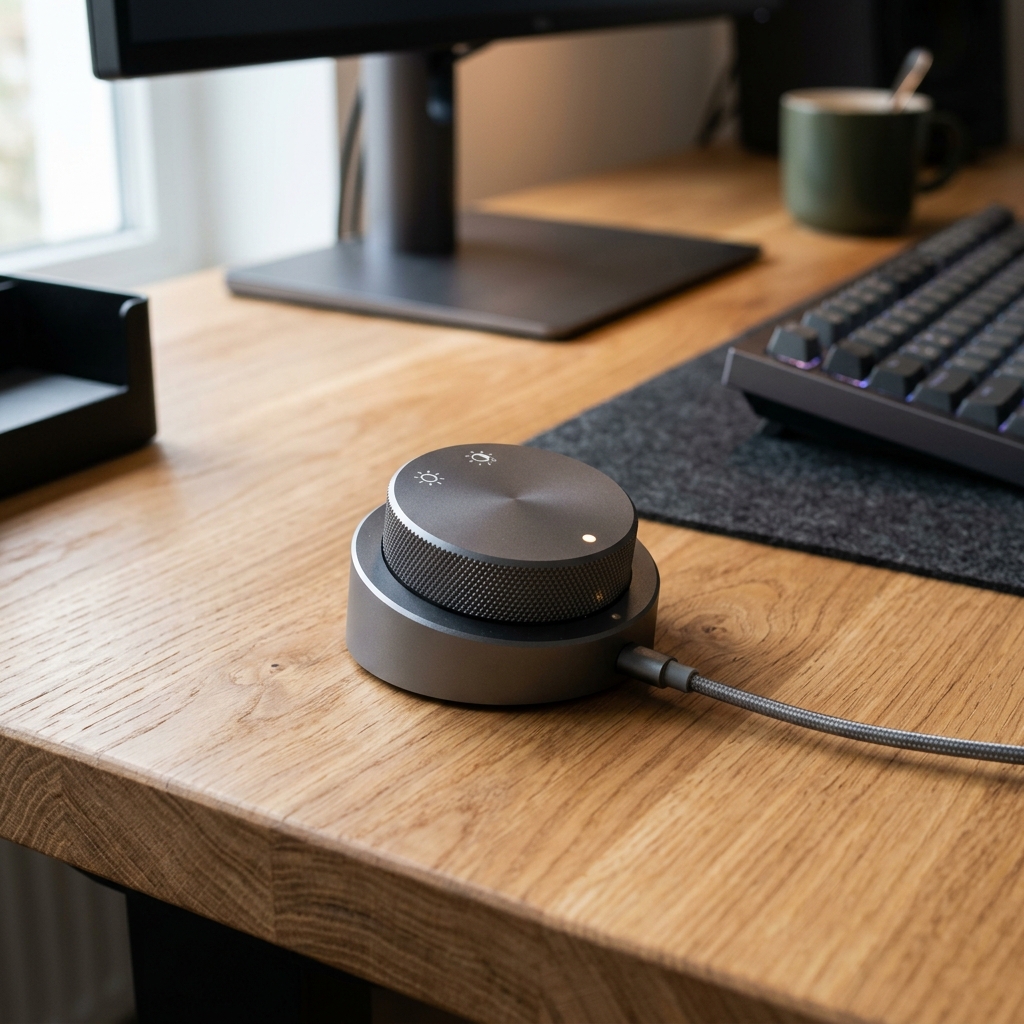
4. Interactive Desk Lamp & Lux Setup Calculator
Select your monitor setup, room lighting condition, and primary work task below to calculate your target desktop illuminance (lux), recommended Kelvin color temperature, and optimal lamp mounting architecture:
5. Mounting Compatibility: Curved Monitors, Webcams & USB-C Power
Before ordering any monitor light bar or clamp lamp, check three physical compatibility details that cause the majority of buyer returns:
- Webcam Stacking & Top-Bezel Clearance: Standard monitor light bars rest on the center of the top bezel—the exact spot occupied by an external webcam. Look for light bars with a flat magnetic top pad or dedicated 1/4-inch webcam mount adapter, or place your webcam 10 cm off-center.
- Curved Monitor Radius (1800R vs. 1000R): A straight 45 cm light bar mounted on an aggressive
1000Rcurved gaming monitor can cast light onto the curved left and right wings of the screen unless the clip extends the bar 2 to 3 cm forward. Check that the manufacturer explicitly rates the clamp for1000Rcurvature, or opt for a tall architect swing-arm clamp lamp mounted to the rear desk edge. - USB Power Draw (5V/1A vs. 5V/1.5A+): Entry-level light bars run on a standard
5W (5V/1A)USB-A port on your monitor hub. High-output bars with auto-dimming ultrasonic presence sensors (such as the BenQ ScreenBar Pro) require up to7.5W–12W (5V/1.5A–2.4A)via USB-C; plugging them into an underpowered legacy monitor USB 2.0 port can cause the bar to reset at maximum brightness.
6. Related Home Style, Optical & Everyday Carry Guides
- LED Strip Lights vs. Smart Bulbs: Which Creates Better Ambient Bias Lighting?
- West Elm Mid-Century Desk Review: Dimensions, Veneer Durability & Clamp Clearance
- 5 Best West Elm Mid-Century Desk Alternatives (2026 Spec Comparison)
- Ray-Ban Original Wayfarer RB2140 vs. New Wayfarer RB2132: Optical Tilt & Fit Compared
- Tissot PRX Powermatic 80 vs. Citizen Tsuyosa Automatic: Specs & Finishing Compared
7. Frequently Asked Questions (FAQ)
How many lumens or lux do I need for a computer desk lamp?
Always check illuminance in lux at the desk surface rather than raw bulb lumens alone. According to Illuminating Engineering Society (ANSI/IES RP-1-20) office guidelines, computer and reading desks should be illuminated to 300 to 500 lux across the active work zone. A directional monitor light bar delivering 450–700 lumens through an asymmetric reflector easily achieves 500+ lux on the keyboard without wasting light into the ceiling.
Do monitor light bars work on curved monitors?
Yes, provided the clamp depth and forward offset match your monitor’s curvature radius. Gentle 1800R curved displays work with most weighted counterweight clips, while aggressive 1000R curved monitors require a long-throw clamp (such as the BenQ ScreenBar Pro’s 0.43–6.5 cm clamp rated for 1000R–1800R curves) or a curved light bar body so the ends of the bar do not shine onto the outer wings of the screen.
Is a monitor light bar enough in a pitch-black room, or do I also need bias lighting?
In a pitch-black room, a monitor light bar illuminates the desk in front of the screen, but the wall behind the monitor remains dark. Adding a low-output warm or 6500K bias light behind the monitor softens the contrast boundary around all four edges of the display, satisfying the ergonomic 1:3:10 luminance ratio rule.
What color temperature (Kelvin) is easiest on the eyes at night?
During daytime hours, 4500K to 5500K blends naturally with window daylight. After sunset, shifting your desk lamp to 2700K to 3000K warm white lowers short-wavelength blue light emission and reduces visual glare against dark-mode user interfaces.
I’ve been deeply eyeing this brand product for my new apartment, but the lack of showrooms has kept me hesitant. For those who bought their pieces, does the fabric/leather fade rapidly in rooms with strong afternoon sun, or is the quality robust enough? Appreciate your insights!